Manage your host team
Company owners can invite people to help operate their playrooms without sharing an account. Each person uses their own account, and access is limited to the role and modules assigned by the owner.
Invite a team member
- In the Host area, open Team.
- Enter the person's email address and select a role: Manager, Marketing or Cleaning.
- Optionally grant access to additional modules, then select Send invitation.
- The person opens the invitation link sent by email. They can register a separate account or, if already signed in with the invited account, accept the invitation.
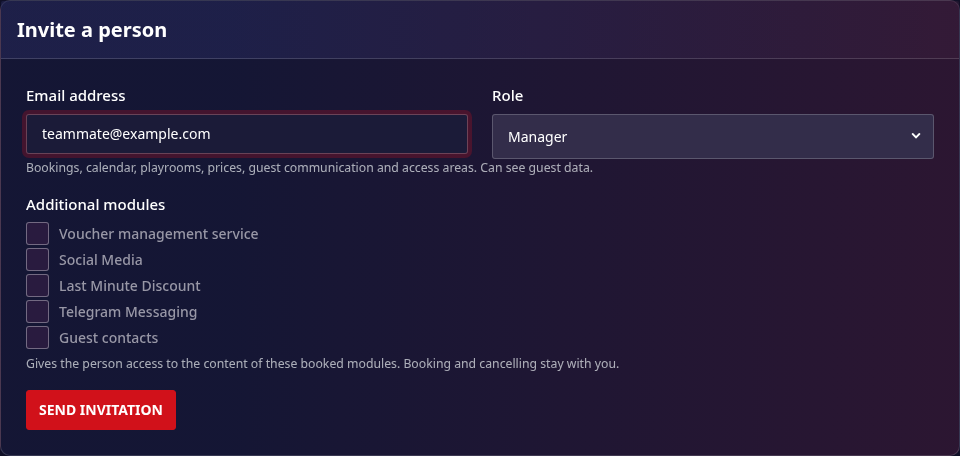
An invitation that has not been accepted appears under Pending invitations, with its expiry date. Access starts only after the invitee accepts a valid invitation.
Roles and access
Roles are permission templates. The owner can also grant access to the content of selected additional modules; those module grants do not include purchasing, cancelling or billing for a module.
| Role | Typical access |
|---|---|
| Manager | Bookings, calendar, playrooms, prices, guest communication and access areas; can see guest data. |
| Marketing | Vouchers and social media; no access to bookings or guest data. |
| Cleaning | Occupancy information needed for cleaning and handover, without full guest identity, plus the cleaning calendar feed. |
The exact permissions are enforced by the platform. In particular, billing and invoices, purchasing or cancelling modules, and managing team members remain owner-only. Cleaning access does not include full guest names, contact details, financial details or booking changes.
Change or revoke access
On Host area > Team, an owner can change a member's role and additional module grants. To remove a member, select Revoke access and confirm. Revocation takes effect immediately, including for already-open sessions. A member can also end their own membership from their account.
Team members cannot invite, change or revoke access for other members. Each member's actions use their own account, rather than a shared owner login.