Telegram notifications
Telegram notifications send booking alerts to your Telegram account or chat so you can react quickly to new requests.
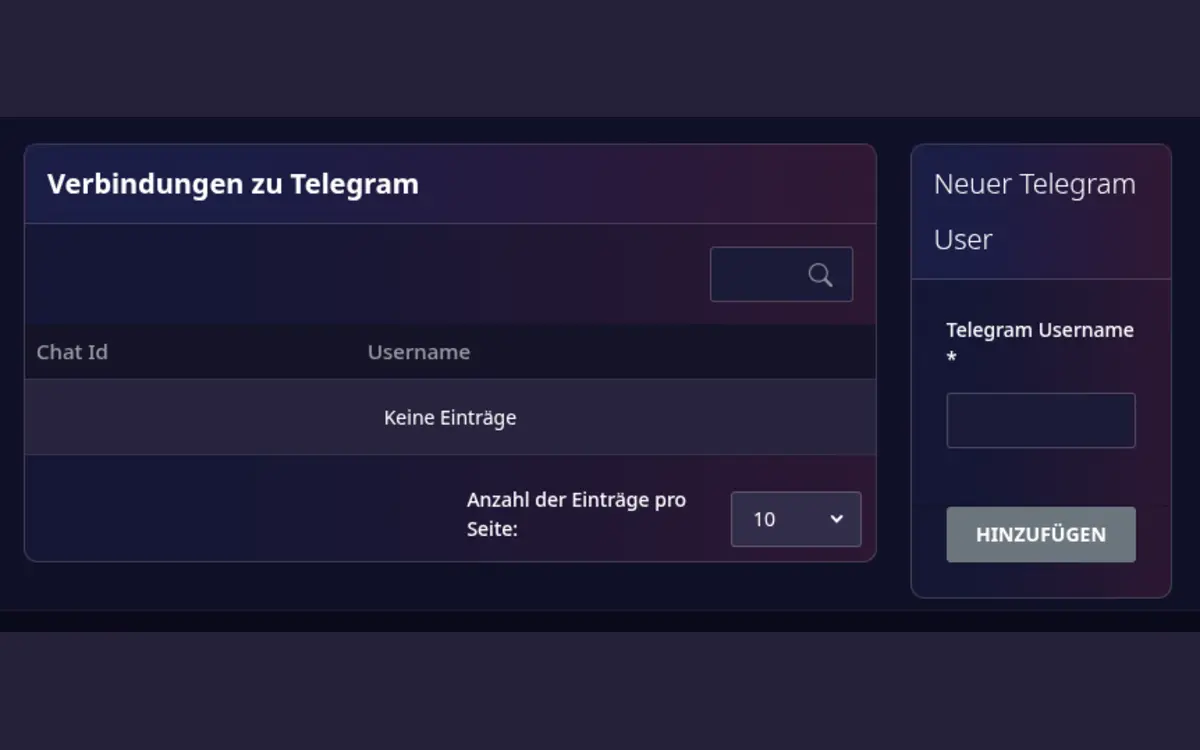
Connect Telegram
- Open Host area > Modules > Telegram Messaging.
- Under New Telegram User, enter your Telegram Username and select Add.
- Follow the authentication link shown by My Playrooms.
- Confirm the connection in Telegram.
- Send a test message from the module page.
The module page shows whether a connection is authenticated. You can remove an old connection and create a new one if the account or chat has changed.
What you receive
You receive a Telegram message when a new booking comes in. Telegram is an optional extra: the email notification stays, so do not rely on Telegram alone for important booking information.
One username, one connection
A Telegram username can be connected only once, because the shared bot recognizes the sender by username. If creating the connection fails because the username is already in use, remove the old connection first or use a different Telegram account.
Troubleshooting
- Make sure the Telegram username is correct.
- Complete the authentication flow before closing the Telegram page.
- Send a test message after changing the connection.
- Remove stale connections when a device or account is no longer used.